

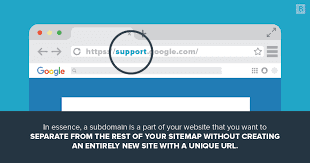
What are Subdomains?
A subdomain is an extension of the primary domain that creates a new address within the same domain. For example, if your domain is biznesi.com, subdomains could be:
blog.biznesi.com — for the blog
shop.biznesi.com — for the online store
support.biznesi.com — for technical support
en.biznesi.com — for the English version
How do subdomains work?
Subdomains function as independent sites within your main domain. Each subdomain can point to a different server, have a different design, or even use a different platform. Technically, the subdomain is added before the main domain and separated by a dot. The DNS treats it as a separate record.
When should you use subdomains?
When you have a blog separate from the main page
When offering services in different languages
When you have a dedicated online store
When you want to test new versions of the site
When you have a client portal or administrative area
Subdomains and SEO
Google treats subdomains as separate sites from the main domain. This means that SEO authority is not automatically transferred from the primary domain to the subdomain. For most businesses, it is recommended to use subdirectories (biznesi.com/blog) instead of subdomains (blog.biznesi.com) for better SEO benefits.
How to create a subdomain
Log in to your hosting control panel (cPanel, Plesk, etc.).
Find the 'Subdomains' or 'Domains' section.
Enter the desired subdomain name.
Select the folder where the files will be stored.
Click 'Create', and the subdomain will be active within minutes.
Conclusion
Subdomains are powerful tools for organizing your website. Use them when you need to separate different sections, but be mindful of the impact on SEO.