

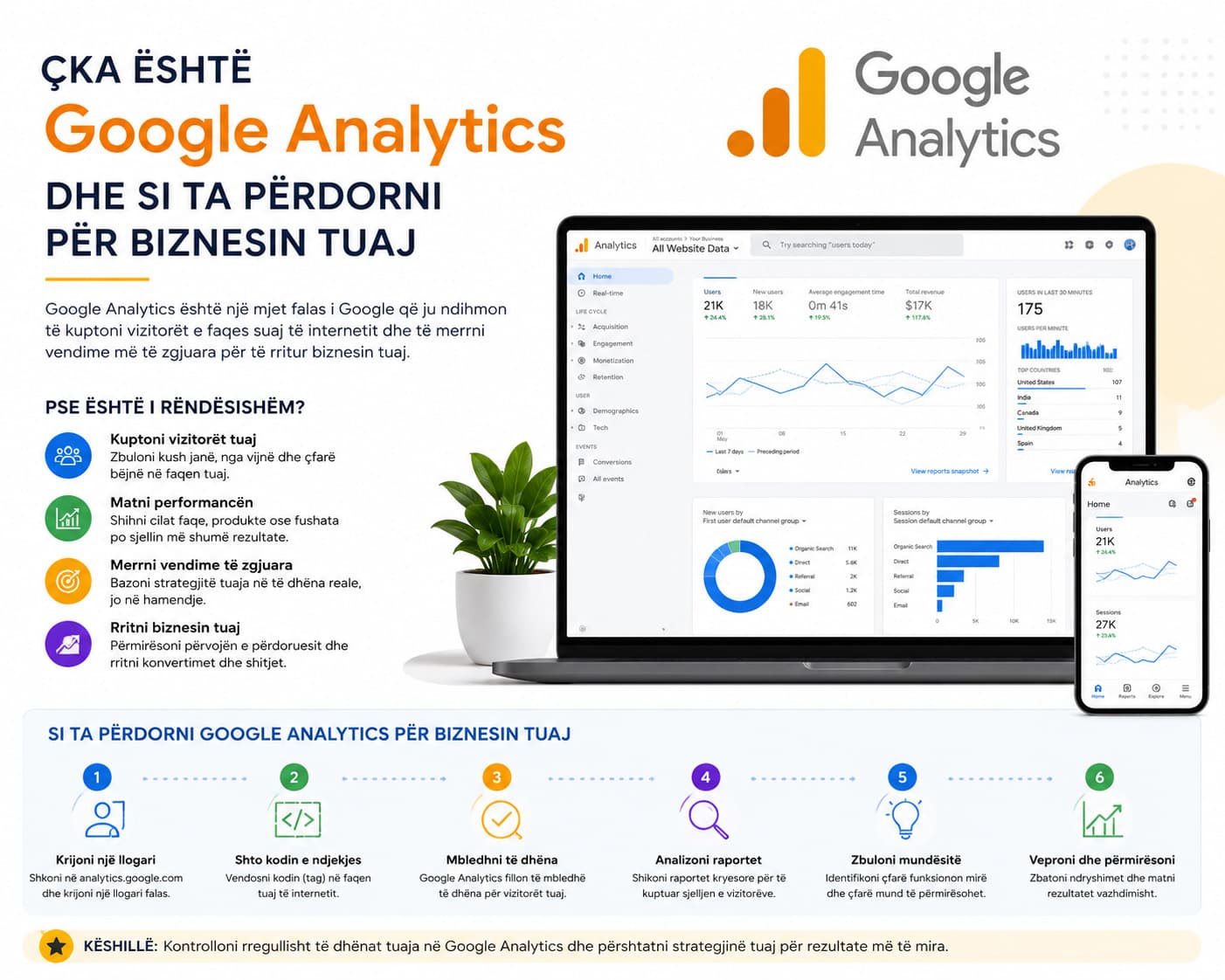
What is Google Analytics?
Google Analytics is a free Google tool that records every visit to your website and shows you exactly what happens there. With it, you know how many visitors you had today, where they came from, which pages they viewed, and where they left — without having to guess anything.
For businesses in Kosovo and Albania that have a professional website, Google Analytics is the next logical step. Without it, your website is working in the dark.
How does Google Analytics work?
When someone opens your website, a small JavaScript code — called a “measurement tag” — is activated in the background and sends data to Google’s servers. This code is installed once and runs continuously, 24 hours a day.
The current version is called Google Analytics 4 (GA4) and has been the standard since 2023. GA4 is based on “events” — every click, movement, or form submission is recorded as a separate event, giving you a much more complete view of visitor behavior compared to previous versions.
What can you see in Google Analytics?
The main dashboard gives you a quick overview, but the detailed reports are what make the difference. Here are the key metrics you should track:
Active users: How many people have visited your website within a specific period.
Traffic source: Whether they came from Google, social media, your emails, or directly.
Top pages: Which pages attract the most interest — products, blog, or contact form.
Average engagement time: Do visitors read everything, or leave within a few seconds?
Device used: How many visitors come from mobile compared to desktop — important for your website design.
Conversions: How many visitors filled out forms, made purchases, or clicked your phone number.
Why is it important for your business?
Many businesses in Prishtina and Tirana invest in digital advertising without knowing whether those ads are actually delivering real results. Google Analytics solves exactly this problem. If you spend €500 per month on ads and only 2% of visitors click the contact button, Analytics shows you that exact number — and gives you a precise point where you need to improve.
In our projects with local businesses, we have seen cases where over 70% of traffic came from mobile devices, but the website was designed only for desktop. Without Analytics, this problem would have remained hidden for months.
How to install Google Analytics on your website
The basic installation requires four steps:
Go to analytics.google.com and sign in with your Google account.
Create a new “Property” and select the platform (Web).
Copy the tracking code (Measurement ID, starting with “G-”) and add it to your website — either via Google Tag Manager or directly into the <head> section of your site.
Wait 24–48 hours and check the “Realtime” report to confirm that data is being collected.
If your website is built on WordPress, there are plugins such as “Site Kit by Google” that automate the entire process. Other platforms like Shopify and Wix have native integrations.
Google Analytics and SEO — the direct connection
Analytics data directly complements your SEO strategy. While Google Search Console shows which keywords bring traffic, Analytics shows what those visitors do after they arrive. Together, these two tools form the foundation of any well-informed digital decision-making process.
For example: if a product page receives 500 visitors from Google but none of them click “Buy now,” the problem is not traffic — it is the page itself. Analytics makes this diagnosis possible.
No website, but you don’t know what your visitors are doing?
We install and configure Google Analytics GA4 for your business — with custom reports that you can understand without technical expertise.
What you should track every week
You don’t need to spend hours analyzing reports. A 10-minute weekly review is enough for most small and medium-sized businesses. Focus on:
Whether traffic increased or decreased compared to last week
Which channel is performing best (organic, social, direct)
Whether the top traffic pages have changed
How many conversion events (form submissions, calls) were recorded
Google Analytics also offers “automated reports” via email — you can set them up to arrive every Monday morning directly in your inbox, without needing to log into the platform at all.
Is Google Analytics really free?
Yes — Google Analytics Standard (the version used by most businesses) is completely free. There is also Google Analytics 360 for large enterprises with advanced needs, but its cost starts from $50,000 per year and is not relevant for small and medium-sized businesses. If you run a business website, the standard version gives you everything you need.